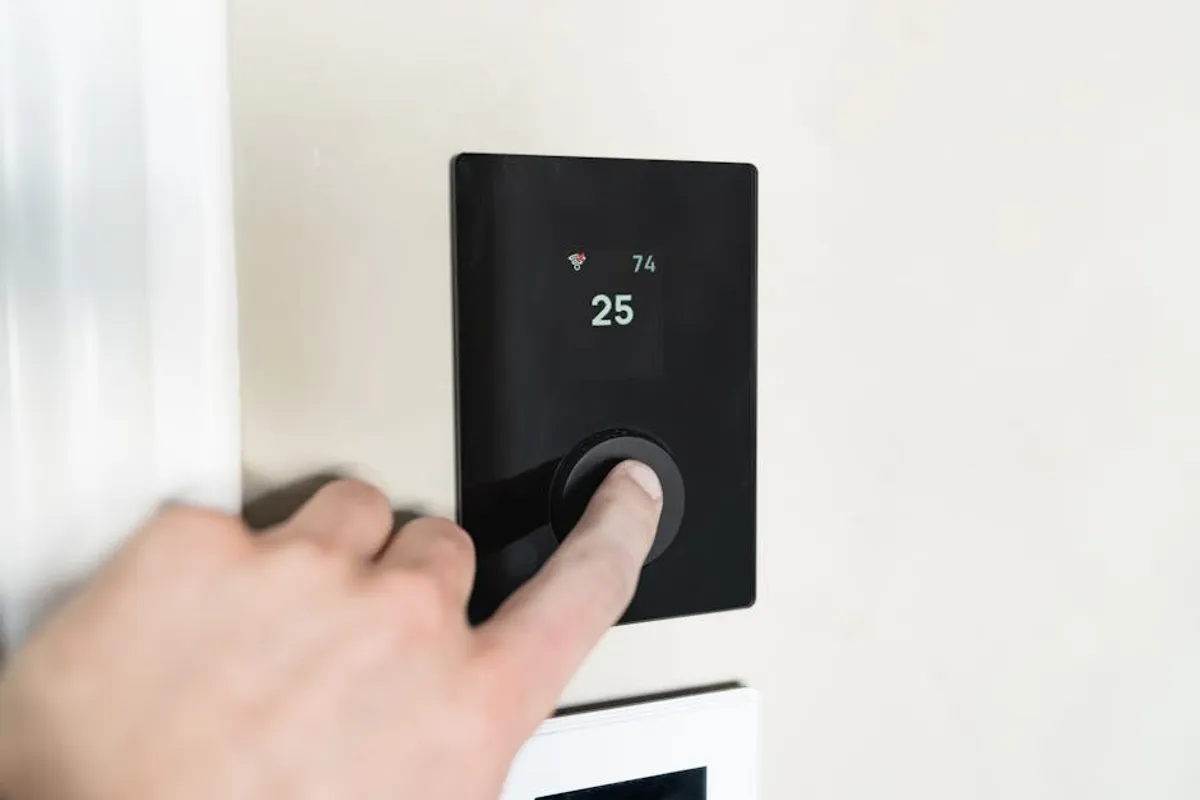
Implementing a smart thermostat represents a strategic upgrade for property owners focused on optimizing energy consumption and enhancing climate control. The decision to integrate one extends beyond mere convenience; it's an investment in efficiency, offering granular control over heating and cooling cycles, often leading to tangible reductions in utility costs. This guide outlines practical tips for selecting, installing, and maximizing the utility of smart thermostats, ensuring they deliver on their promise of improved comfort and financial savings.
Choosing the Right Smart Thermostat for Your Property
The market offers a range of smart thermostats, each with distinct features and compatibility requirements. A careful selection process ensures the device integrates seamlessly with your existing HVAC system and smart home ecosystem. Adhering to smart thermostat best practices ensures you maximize your investment and achieve optimal performance.
HVAC System Compatibility and Wiring
Before purchasing, verify your HVAC system's compatibility. Most smart thermostats require a "C-wire" (common wire) to provide continuous power. Without it, some models may not function reliably or at all, though certain options include power extenders or operate on battery power for systems lacking a C-wire. Confirm the voltage requirements as well; standard residential systems typically use 24V AC, but commercial or older systems might differ. Check your existing thermostat's wiring for compatibility labels or consult your HVAC manual.
Feature Prioritization and Ecosystem Integration
Consider which features offer the most value for your specific needs. Key functionalities include:
- Learning Capabilities: Some thermostats learn your preferences and create schedules automatically. This reduces manual programming efforts, adapting to your routine over time.
- Geofencing: Utilizes your smartphone's location to detect when you're home or away, adjusting temperatures to save energy when the property is vacant and ensuring comfort upon return.
- Zoning Control: Essential for larger properties or those with multiple HVAC units, allowing independent temperature management in different areas.
- Remote Access: Control and monitor your thermostat from anywhere via a smartphone app. This is crucial for managing vacation properties or making adjustments while away.
- Voice Control Integration: Compatibility with popular smart assistants (e.g., for hands-free adjustments).
- Energy Reporting: Provides insights into energy usage patterns, helping identify areas for further optimization.
Ensure the chosen thermostat integrates with your existing smart home platform, if applicable. A unified system simplifies control and automation, allowing devices to work in concert.
Installation and Initial Setup Best Practices
Proper installation and configuration are critical for optimal performance and accurate temperature regulation.
Pre-Installation Checks and Safety
Always turn off power to your HVAC system at the breaker before beginning installation. Document your existing thermostat's wiring by taking a photograph; this serves as a reference during the wiring process. Label each wire as you disconnect it from the old thermostat, using the provided labels in most smart thermostat kits.
Accurate Calibration and Scheduling
Once physically installed, follow the in-app setup instructions carefully. This typically involves connecting to Wi-Fi, calibrating temperature sensors, and setting up an initial schedule. For calibration, ensure the thermostat is not in direct sunlight or near heat sources, which can skew readings. Start with a basic schedule that reflects your typical occupancy patterns, then refine it as you observe energy usage and comfort levels.
Pro Tip: After initial setup, monitor your smart thermostat's reported temperature against a separate, calibrated thermometer placed nearby. Discrepancies of more than 1-2 degrees Fahrenheit may indicate a need for sensor calibration within the thermostat's settings or a less-than-ideal mounting location. Accurate readings are fundamental for effective energy management.
Optimizing for Energy Efficiency and Comfort
The primary advantage of smart thermostats lies in their ability to reduce energy waste without compromising comfort. Effective utilization requires understanding and engaging with their advanced features.
Strategic Scheduling and Geofencing
Beyond basic "home" and "away" settings, create granular schedules that account for daily fluctuations in occupancy. For instance, program a setback temperature during work hours and overnight, returning to a comfortable level just before occupants arrive or wake up. Leverage geofencing if available; it automates these transitions based on real-time location data, ensuring the system isn't heating or cooling an empty property unnecessarily.
Best for: Reducing energy consumption when the property is vacant or during sleep cycles.
Utilizing Learning Algorithms and External Sensors
If your thermostat has learning capabilities, allow it time to observe your habits. Over several weeks, it will build a profile of your preferred temperatures and activity patterns, autonomously adjusting its schedule. For properties with uneven heating or cooling, consider external temperature sensors. These devices can be placed in specific rooms to provide more accurate temperature data, allowing the thermostat to prioritize comfort in occupied areas rather than relying solely on a single central sensor.
Best for: Properties with inconsistent temperatures across different rooms or dynamic occupancy patterns.
Monitoring Energy Reports and Adjusting Settings
Most smart thermostat apps provide detailed energy usage reports. Regularly review these reports to identify trends and potential areas for further savings. Small adjustments, such as increasing the cooling setpoint by two degrees in summer or decreasing the heating setpoint by two degrees in winter, can accumulate into significant savings over time. Pay attention to "runtime" data, which indicates how long your HVAC system operates, to understand efficiency.
Maintaining Performance and Addressing Issues
Consistent performance requires minor upkeep and awareness of common operational aspects.
Firmware Updates and Battery Management
Ensure your smart thermostat's firmware is always up to date. Manufacturers frequently release updates that improve performance, add features, and patch security vulnerabilities. Most updates occur automatically over Wi-Fi, but periodic checks within the app are advisable. For battery-powered models or those with battery backups, monitor battery life and replace them proactively to prevent unexpected shutdowns.
Common Troubleshooting Steps
Should your thermostat encounter issues, begin with basic troubleshooting:
- No Power/Display: Check the circuit breaker for your HVAC system. If the C-wire is missing, verify the battery status or power extender installation.
- Incorrect Temperature Readings: Ensure the thermostat isn't exposed to drafts, direct sunlight, or heat-emitting appliances. Recalibrate if necessary.
- Wi-Fi Disconnection: Restart your router and then the thermostat. Verify your Wi-Fi credentials in the app.
- System Not Responding: A soft reset of the thermostat (often through the app or a specific button sequence) can resolve minor glitches.
Maximizing Your Smart Thermostat Investment
A smart thermostat is more than a simple temperature controller; it's a tool for active energy management. By carefully selecting a compatible device, ensuring proper installation, and diligently utilizing its advanced features like scheduling, geofencing, and energy reporting, property owners can achieve notable reductions in utility costs while maintaining optimal indoor comfort. Regular monitoring and minor adjustments based on real-world usage data will ensure the system continuously operates at peak efficiency, delivering long-term value.
Frequently Asked Questions
Do smart thermostats really save money?
Yes, smart thermostats can reduce energy consumption by 10-20% on average for heating and cooling, primarily through optimized scheduling, geofencing, and learning algorithms that prevent unnecessary HVAC operation.
How long does it take for a smart thermostat to learn my preferences?
Learning thermostats typically require 7-14 days of consistent use to observe and adapt to your daily routines and temperature preferences, after which they can begin to automate scheduling.
Can I control my smart thermostat when I'm not home?
Absolutely. Most smart thermostats offer remote access via a dedicated smartphone application, allowing you to adjust settings, monitor usage, and receive alerts from any location with an internet connection.
What if my HVAC system doesn't have a C-wire?
Many smart thermostat models offer solutions for systems without a C-wire, such as power extenders that draw power from other wires, or some battery-powered options. Always check the specific product's requirements before purchase.