Smart thermostats offer more than just scheduled temperature adjustments; they provide granular control over home climate, detailed energy consumption insights, and seamless integration into modern smart home ecosystems. The decision to invest in one moves beyond simple convenience, extending to tangible energy savings and enhanced comfort. However, navigating the array of features and compatibility requirements demands a structured approach. This checklist outlines critical factors and advanced considerations to ensure the selected device aligns with specific HVAC systems, lifestyle needs, and long-term efficiency goals.
Key Considerations Before Purchase
Compatibility with Existing HVAC
The primary hurdle for many smart thermostat installations is HVAC system compatibility. Most advanced smart thermostats require a "C-wire" (common wire) to provide continuous 24V power, as they cannot rely solely on battery power or "power stealing" from the heating/cooling wires for their Wi-Fi and display. Verify your existing wiring at the thermostat and furnace/air handler. Systems without a C-wire may require an adapter kit or professional installation to run a new wire. Additionally, confirm the thermostat supports your specific HVAC type—single-stage, multi-stage, heat pump, or zoned systems—as not all models are universally compatible.
Energy Monitoring and Reporting
A core benefit of smart thermostats is their ability to track and report energy usage. Evaluate the depth of data provided:
- Real-time energy consumption estimates.
- Daily, weekly, and monthly usage reports.
- Comparison tools against similar homes or previous periods.
- Personalized insights and recommendations for optimizing savings.
These features translate directly into actionable strategies for reducing utility bills, moving beyond simple temperature control to active energy management.
Control and Scheduling Features
Beyond basic programming, smart thermostats offer advanced control options. Look for intuitive mobile applications that allow remote temperature adjustment, schedule creation, and vacation modes. Consider the flexibility of scheduling—some offer 7-day programming with multiple set points per day, while others simplify with "home," "away," and "sleep" presets. The ability to override schedules temporarily without disrupting the overall program is also a practical feature for daily use. Implementing smart thermostat best practices ensures you maximize energy savings and comfort year-round.
Integration with Smart Home Ecosystems
For homes already utilizing smart devices, seamless integration is crucial. Confirm compatibility with prevalent smart home platforms such as Google Home, Amazon Alexa, or Apple HomeKit. This enables voice control, custom automation routines (e.g., "turn off lights and set thermostat to away mode when I leave"), and centralized management through a single app or hub. Without proper integration, the thermostat operates as a standalone smart device, potentially missing out on broader home automation benefits.
Installation Requirements
While many smart thermostats are designed for DIY installation, complexity varies. Assess whether you are comfortable working with low-voltage wiring and following detailed instructions. Some installations may require drilling new holes, patching walls, or installing power extenders. For multi-zone systems or older HVAC setups, professional installation is often recommended to ensure correct wiring, optimal performance, and to avoid potential damage to the HVAC unit.
Pro Tip: Before purchasing, always remove your existing thermostat's faceplate to photograph the wiring. This image is invaluable for checking C-wire presence and for troubleshooting during installation or when consulting customer support.
Advanced Features to Evaluate
Geofencing Capabilities
Geofencing uses your smartphone's location to automatically adjust the thermostat when you leave or approach home. This feature prevents heating or cooling an empty house and ensures a comfortable temperature upon your return, optimizing energy use without manual intervention. Assess the precision and customization options—some allow setting specific radii or integrating with multiple family members' devices.
Learning Algorithms
Certain smart thermostats employ machine learning to adapt to your preferences and home's thermal characteristics over time. They learn your schedule, preferred temperatures, and how long it takes to heat or cool your home. This predictive capability refines energy usage, anticipating needs rather than reacting, often leading to more consistent comfort and efficiency gains than manual programming alone.
Multi-Zone Control
For larger homes or those with distinct heating/cooling needs in different areas, multi-zone control is essential. This allows separate thermostats or sensors to manage temperatures independently in different rooms or sections of the house. Evaluate if the system supports multiple thermostats or integrates with remote sensors to create a more balanced and efficient climate control strategy across the entire property.
Air Quality Monitoring
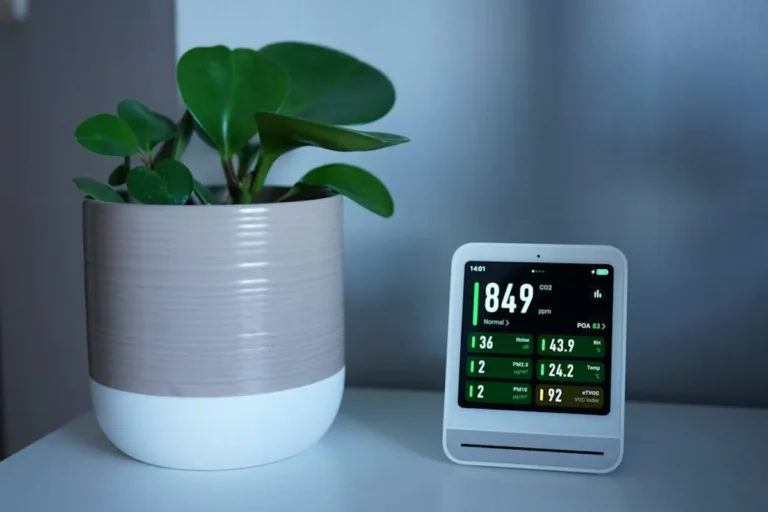
Beyond temperature, some premium smart thermostats incorporate sensors for indoor air quality. These can detect humidity levels, volatile organic compounds (VOCs), and even pollen counts, providing a more comprehensive environmental picture. While not a primary function for all users, this feature offers added health benefits and can trigger alerts or integrate with ventilation systems.
Voice Assistant Integration
While basic smart home integration covers voice commands, evaluate the depth of voice assistant capabilities. Can you only adjust temperature, or can you also inquire about energy usage, change modes, or access specific settings through voice? Deeper integration provides a more hands-free and convenient user experience, especially when adjusting settings from across a room.
Post-Installation Checklist
Calibration and Settings Optimization
After installation, ensure the thermostat is properly calibrated. Verify temperature readings against an independent thermometer. Fine-tune schedules based on actual occupancy and comfort levels. Experiment with setback temperatures during unoccupied periods to find the optimal balance between comfort and energy savings. Many apps offer guided setup processes to help with initial optimization.
App Configuration and Access
Thoroughly configure the accompanying mobile application. Set up user profiles for all household members who need access, enable remote control, and customize notification preferences (e.g., extreme temperature alerts, filter change reminders). Ensure the app's interface is intuitive and provides all necessary controls and data at a glance.
Routine Maintenance Schedule
Smart thermostats, like any electronic device, benefit from routine attention. Establish a schedule for checking firmware updates, which often introduce new features or security patches. Periodically clean the thermostat's sensors and vents to ensure accurate readings. Also, integrate reminders for HVAC filter changes, as a dirty filter significantly impacts system efficiency.
Security Best Practices
As a connected device, a smart thermostat is part of your home network. Implement strong, unique passwords for the thermostat's app and your Wi-Fi network. Enable two-factor authentication if available. Regularly review connected devices within your smart home ecosystem and ensure your home network is secured with an up-to-date router and firewall settings to protect against unauthorized access.
Maximizing Your Smart Thermostat Investment
A smart thermostat's true value emerges through consistent engagement and strategic utilization of its features. Beyond the initial setup, actively monitor energy reports to identify consumption patterns and areas for improvement. Leverage learning features by consistently adjusting temperatures to your comfort levels, allowing the algorithm to refine its predictions. Integrate the thermostat fully into your smart home routines, automating transitions between "home" and "away" modes to minimize wasted energy. Regular firmware updates and adherence to security best practices ensure the device remains efficient, secure, and compatible with evolving smart home technologies. By treating the smart thermostat as an active participant in your home's energy management, rather than a set-and-forget device, you unlock its full potential for both comfort and cost savings.
Frequently Asked Questions
How much energy can a smart thermostat save?
Energy savings vary significantly based on climate, home insulation, existing HVAC efficiency, and user behavior, but typical estimates range from 10% to 20% on heating and cooling costs. Features like geofencing, learning algorithms, and detailed energy reporting contribute to these savings by optimizing usage patterns and reducing waste.
Are smart thermostats compatible with older HVAC systems?
Many smart thermostats are compatible with a wide range of HVAC systems, including older models. The most common compatibility issue is the absence of a "C-wire" for continuous power. If your older system lacks a C-wire, an adapter kit or professional wiring may be necessary to ensure proper functionality.
What is the main difference between a smart thermostat and a programmable one?
Programmable thermostats allow manual scheduling, while smart thermostats offer advanced features like remote control via apps, energy usage reporting, geofencing, and learning capabilities. Smart thermostats adapt to your habits and external factors, providing more dynamic and efficient climate control than static programmable schedules.
Is a Wi-Fi connection always necessary for a smart thermostat?
A Wi-Fi connection is essential for a smart thermostat to access its "smart" features, such as remote control, energy monitoring, learning algorithms, and integration with smart home ecosystems. Without Wi-Fi, most smart thermostats will still function as basic programmable thermostats, allowing manual temperature adjustments and basic scheduling, but they lose their core intelligent capabilities.